


ZenithBoard
The wall of dots or the airport split-flap board on an old tablet, the web console, the posts on Bluesky. Free, open, one menu to install it all.
In one sentence
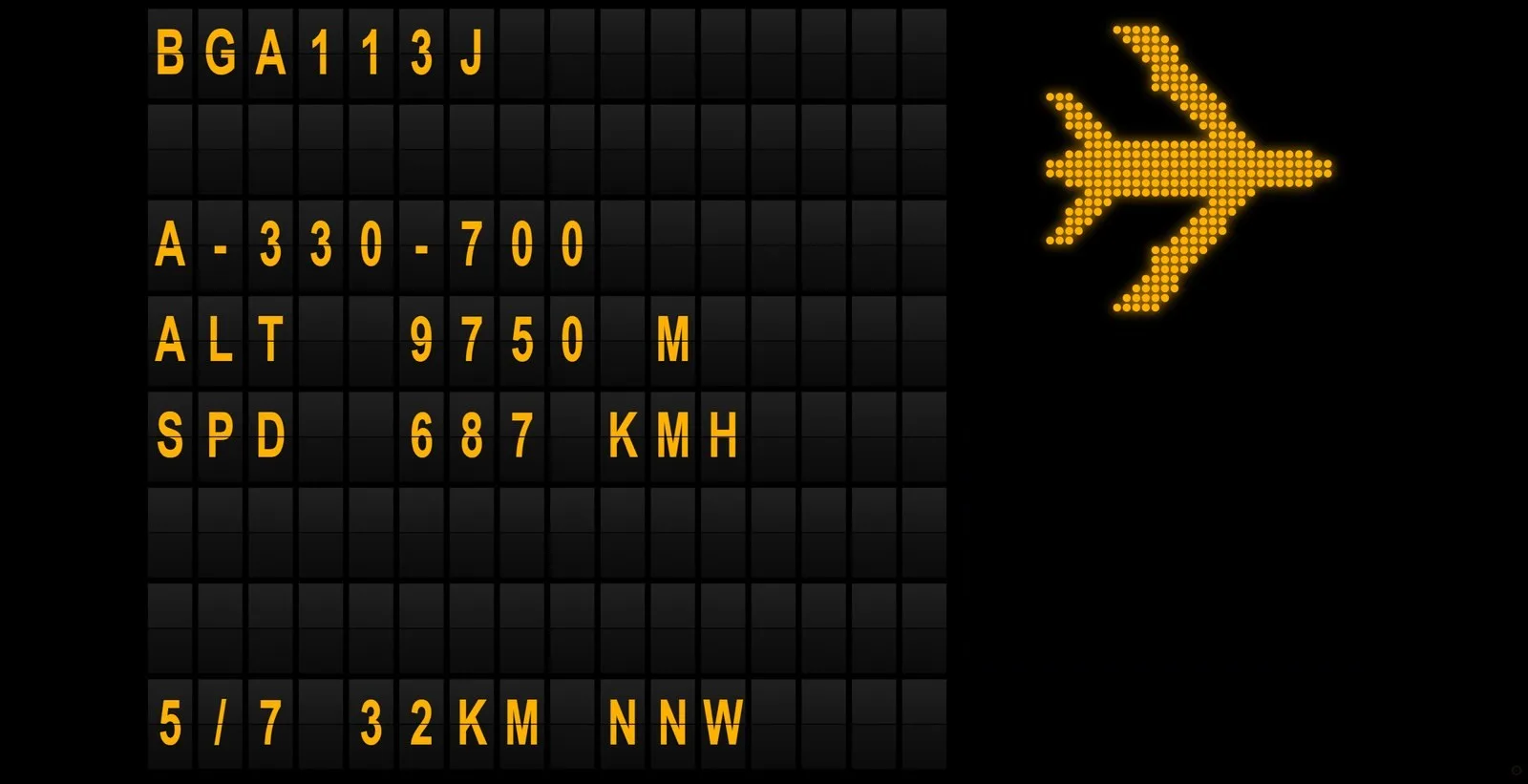
ZenithBoard turns a Raspberry Pi and a USB radio stick into an ADS-B receiver that feeds the four networks, and shows the aircraft right above your house on an old tablet, as a lit dot-matrix sign or an airport split-flap board. It is free software, under the GPL, and it runs every day on the author’s own Pi 3B, outdoors, on Wi-Fi, in Moselle.

The wall
The wall is a web page the Pi serves on your home network. Open it on any tablet or screen with a browser, add it to the home screen, and it stays on. It cycles through every aircraft inside the radius you choose, from 1 to 50 km (or miles): callsign, aircraft type, altitude, speed, where the flight comes from and goes to, distance and direction from you. Two looks: a grid of 128 by 80 dots, like an old station sign, or a split-flap board whose letters roll over when the next aircraft comes. Five colours: amber, green, red, white, turquoise; one at a time, because the point is a lit sign, not a screenshot of a map.

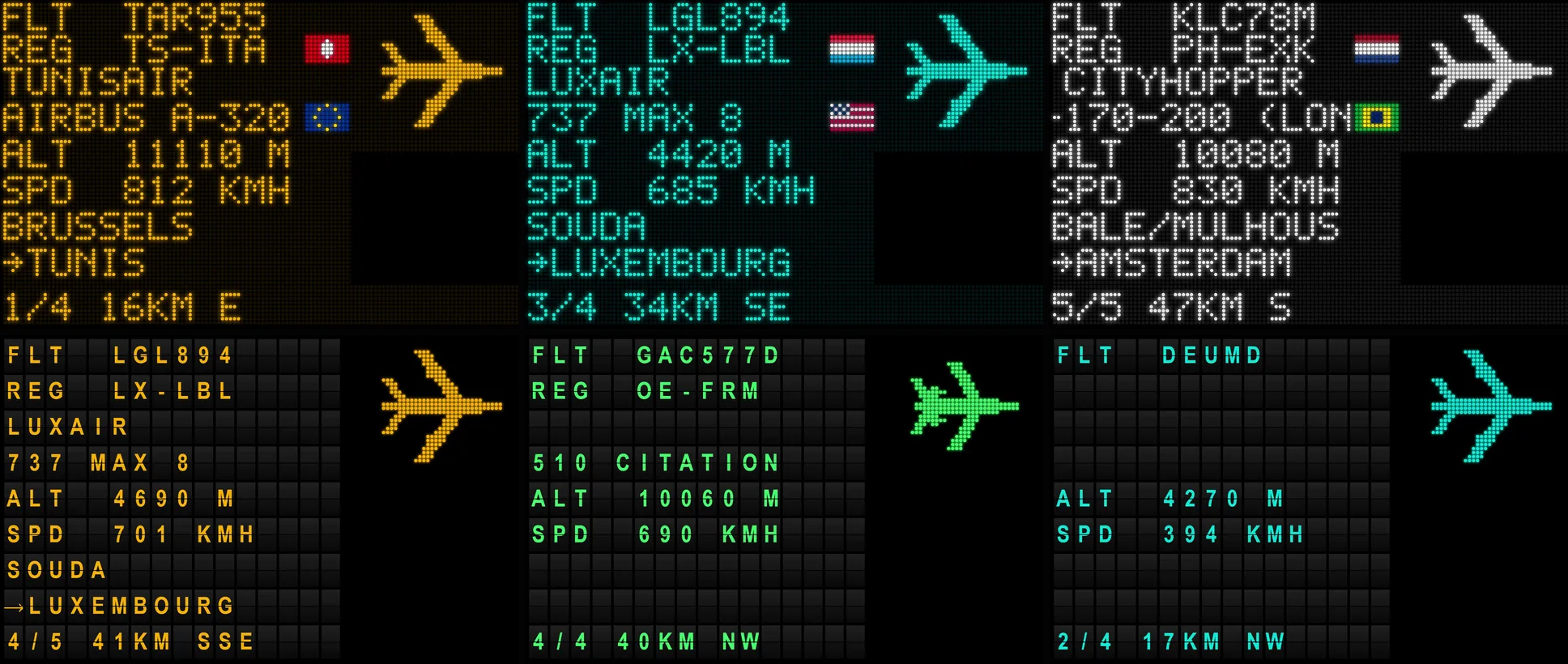
A small gear in the corner of the wall opens its settings: units, radius, seconds per aircraft, colour, style and flags. They are kept on that tablet alone, so each screen can have its own look, and zenithboard config sets the defaults for all of them.
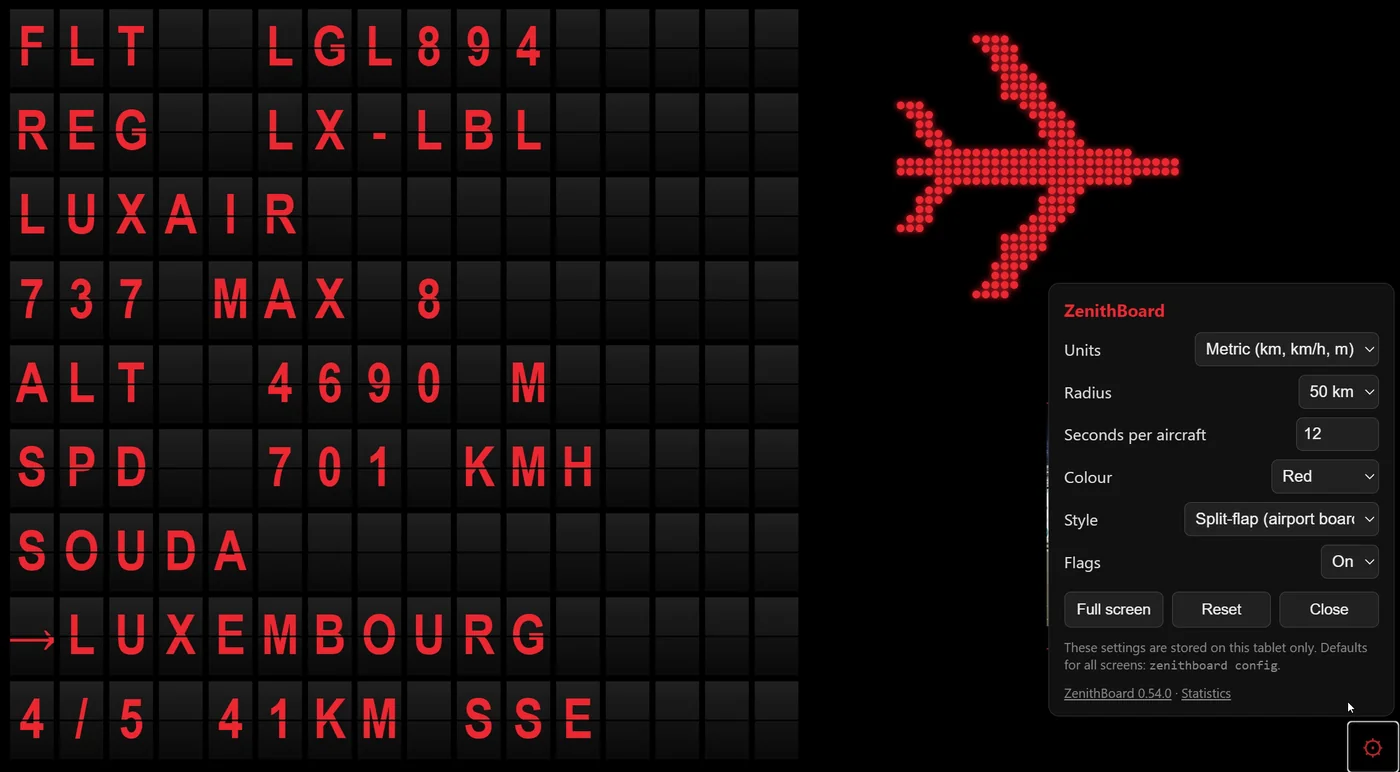
Beside the text, a silhouette of the aircraft drawn in dots, two small flags (where the aircraft is registered, where it was built), and, if you want, its photo from Planespotters, with the photographer’s name. No airline logo, no manufacturer logo: these are protected marks, so flags stand in for them. Routes and models come from public lookups; the wall says what it knows and leaves the row empty when it does not.
You can try the wall with no hardware at all: the repository ships a demo with invented airlines and an example of everything, from an A380 to a helicopter, that runs on any computer with Python.
The receiver, and the four networks
ZenithBoard installs readsb as the decoder, with its map tar1090, and the feeders you tick: ADS-B Exchange always, FlightAware, Flightradar24 and Plane Finder if you want them. It keeps exactly one MLAT client running and counts them in zenithboard status. Everything is off by default and reversible: every on has an off that puts things back, a backup is made before anything destructive, and the menu always has a way out.
The receiver’s gain can be tuned from the menu or the console, one step at a time, with the statistics to see whether it helped. Optional statistics keep a month of messages per hour, range and aircraft per day; graphs1090 draws years of them.
The console
Since version 0.39, http://<the Pi>:8080/console shows the settings in the wall’s look: an overview of the Pi (uptime, temperature, memory, each service), the wall, the receiver, Bluesky, the watchdogs, updates. One section at a time, a side bar on a computer, tabs on a phone. Each change runs the same command the menu would, and shows you what it printed. The console is in twenty-one languages; this site uses the same list and the same flags.
Bluesky
Optional, off by default. Switched on, the Pi posts the aircraft worth a post to Bluesky: a military tanker, a Beluga, a type it has not seen in a month, the farthest of the month. Each post is a picture of the wall beside a map of the aircraft’s track, both drawn by the Pi itself, with a short text: the flight, the type, the route, the altitude, and the name of your town, never your position. Your Bluesky app password stays on the Pi, in a file that only the service can read; it never appears in a log or on the wall.
Built to not go wrong
ZenithBoard runs as root, listens on your network and installs other people’s software, so it is built to limit what can go wrong. The wall answers your home network only and gives everyone else a 403, forwarded port or not; to see it from outside, the menu explains a VPN rather than an open port. Every service runs in a systemd sandbox with only what its job needs. Package signatures are never disabled. Debian’s security fixes can install themselves daily. Two watchdogs restart what freezes, and a health command tells you in one screen whether all is well.
What it needs
A Raspberry Pi 3B or newer with 1 GB of memory, measured: on the author’s Pi 3B, with ADS-B Exchange and its MLAT, FlightAware, Flightradar24, the wall, the statistics and the Bluesky posts, 656 MB of memory were still free. A Pi Zero 2 W runs the receiver and the wall, without the extra feeders. Raspberry Pi OS Lite, 64-bit. An hour the first time; after that, sudo zenithboard update when a new version is out.